When using Postman in a Production or Sandbox environment, you will need to authenticate with ACME Servers to make any API request.
Method 1 - API Key
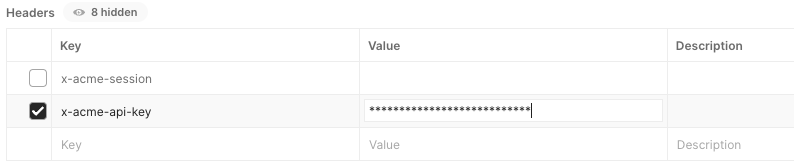
When making a call in Postman, use the header x-acme-api-key. The keys for each tenant can be found in our vault. This will be the fastest way to send a request, as no other calls are needed to generate a session token.
Method 2 - Session
A session token can be generated and temporarily saved to send multiple calls without needing to re-enter the header every time. This is useful for using the Riunner tool or when you need to make multiple requests to the same tenant.
Creating a Session Token in Postman:
1. Open the Get Session Call in Postman
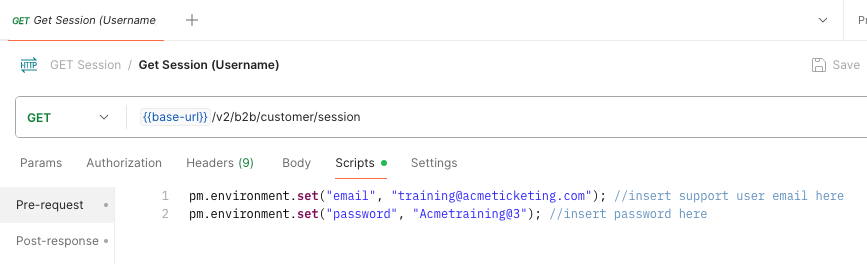
2. Navigate to the Pre-Request Script and enter your username and password. Be sure that the credentials are valid for your environment and tenant.
4. Confirm that the Environment Selector in the top-right corner is set to the desired space
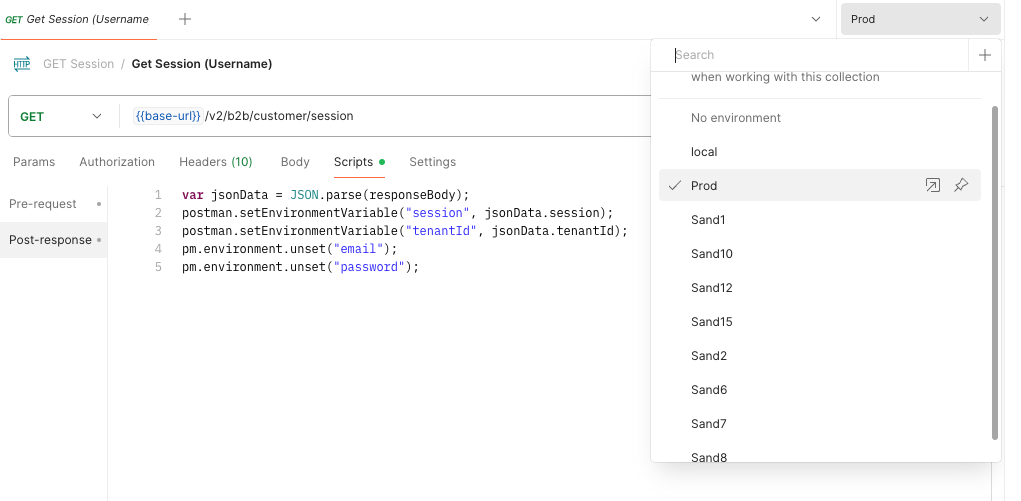
5. Hit Send when ready. You will now have a saved Session token that you can use to authenticate additional calls.
Using a Session Token:
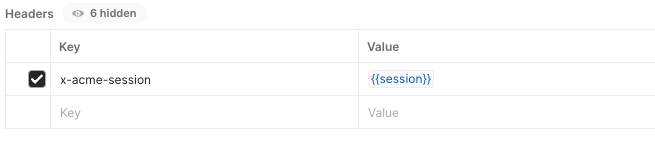
To use a saved session token to authenticate your API call, use the header x-acme-session as shown below. This will reference your saved session token and authenticate without needing an API Key or a username/password credential for every call.