
ACME integrates with Sendgrid to send Email for customers and new users. In some cases, you may need to check on an Email's delivery status directly in SendGrid. This can be helpful if an email was blocked, or marked as invalid. Follow these steps to review Email delivery status and take an appropriate action if needed:
1. Log into Sendgrid. Check Passpack for credentials if needed.
2. Select the Activity menu on the left to search and find recent mail deliveries.
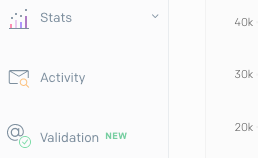
3. You can use the Activity screen to search a specific Email address by default or select Advanced Search for more options. The results can be selected individually to review key metrics including delivery date, and open date. All dates and times are in the UTC time zone. Note: We will only be able to research activity from the past seven days.

Suppressed Email Addresses
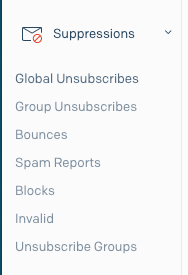 In some cases, Sendgrid will refuse delivery for a specific Email and will add the address to one of three block lists: Blocked, Bounced or Invalid. These lists can be reviewed by opening the Suppressions menu and then selecting the appropriate list. Note: All subsequent resend attempts will fail until the address is removed from this list!
If you encounter an address that you wish to remove from this list, select the checkbox next to the email address, and then choose "Delete Selected" at the top pf the screen as shown here.
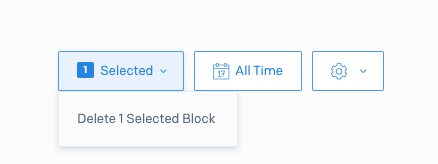
Once the Email address has been deleted from the Suppression list, the user can try resending the email from ACME and monitor results.